Checklists & inspections
Every round, on every crew phone.
Import the checks your vessel already runs. Crew complete them in the space being checked, a failed item becomes a job with a name and a due date, and every completed check is a signed PDF for the survey folder.
Part of Pro, £270 a month per vessel, unlimited crew and unlimited checklists. 14-day free trial. Refund policy
Running on superyachts every day.
Import
Nobody retypes a hundred-item pre-arrival check.
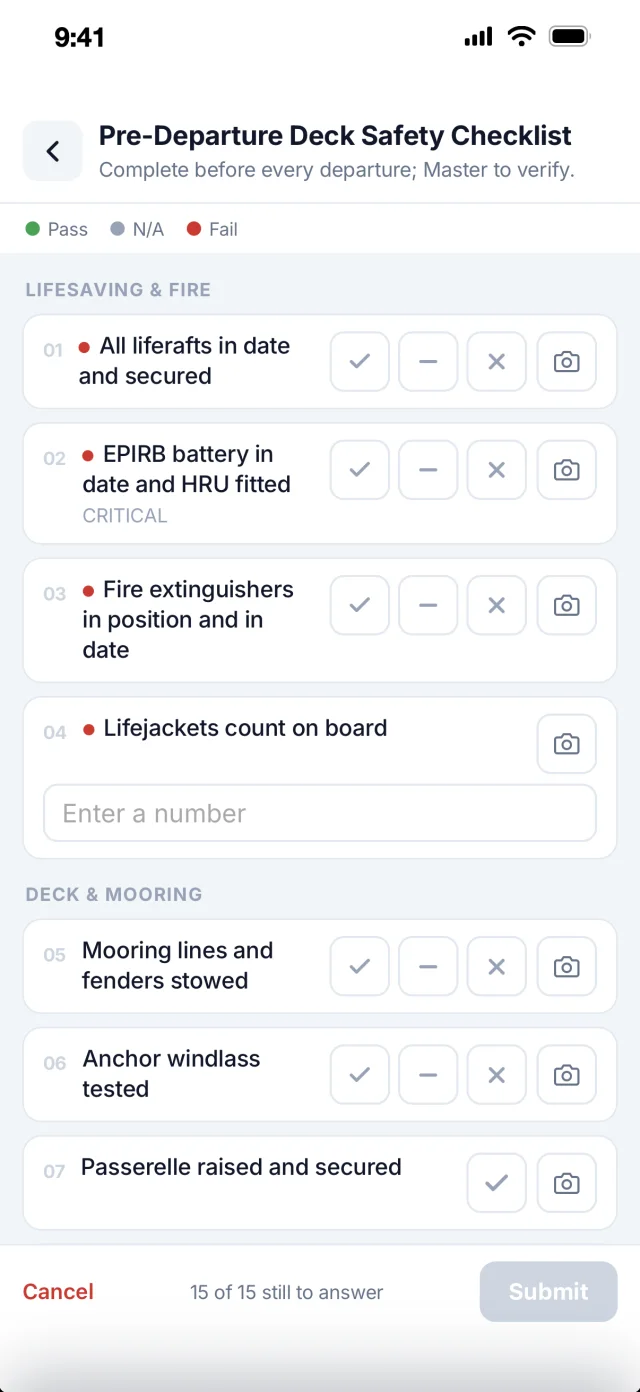
Photograph the laminated card on the bulkhead, or upload the PDF out of your safety management system. It comes back as a draft, sectioned and typed, for you to publish.
- A photograph or a PDF. Layout and nested headings are read as they stand, with no retyping.
- Back as a draft. Items split out and grouped into their sections, with a response type picked for each one. You change what you want, then publish.
- Filed the way you work. Folders for Engineering, Interior and Deck, and tags for the department and how often the check comes round.
- Or build one in the admin. Thirteen kinds of answer, four answer scales, ranges and units on readings, and the crew's view beside you while you write it.
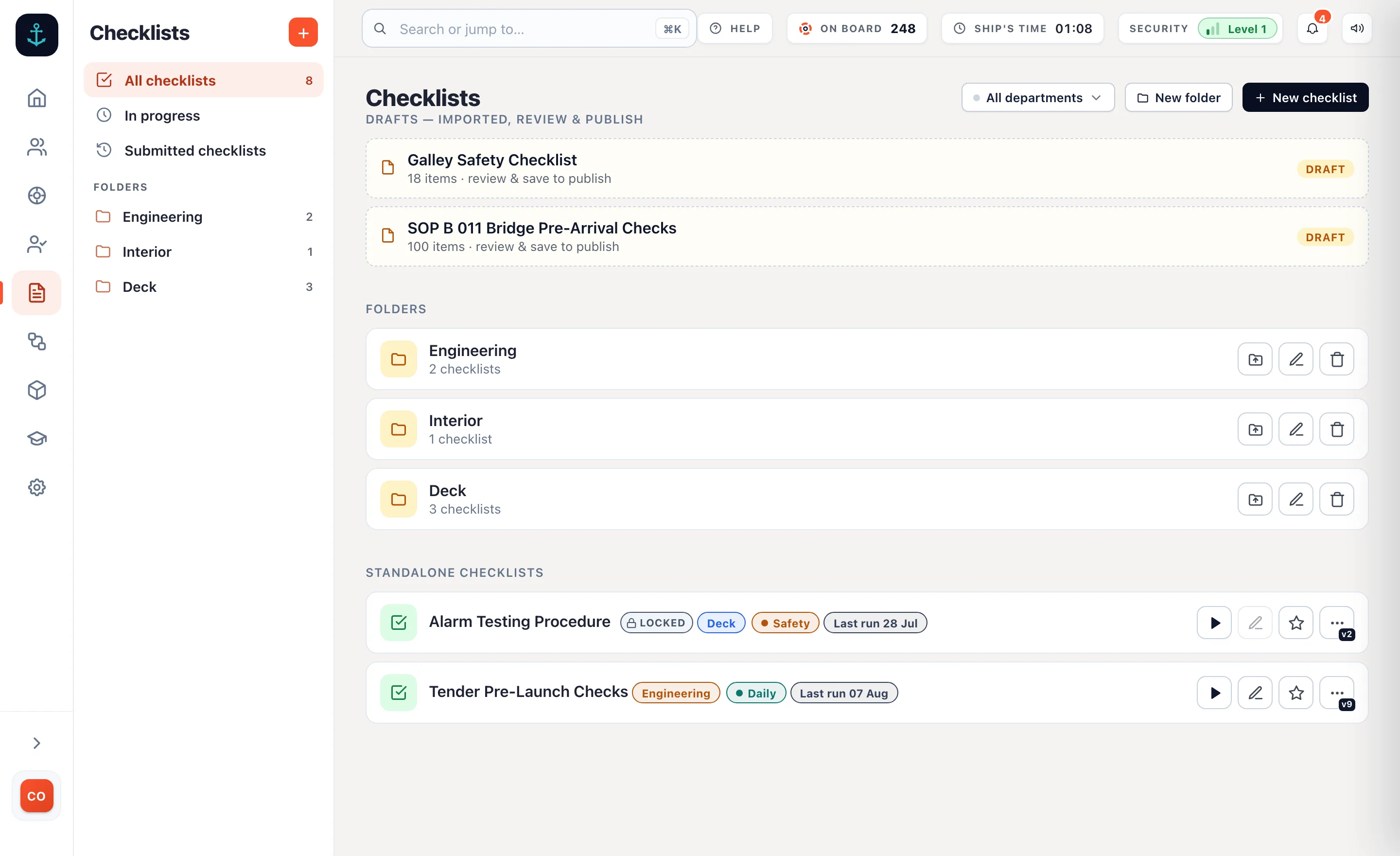 An imported checklist waits as a draft
The round
Done where the work is, not written up afterwards.
No second app to roll out. Checklists live in the app your crew already use for Hours of Rest and drills.
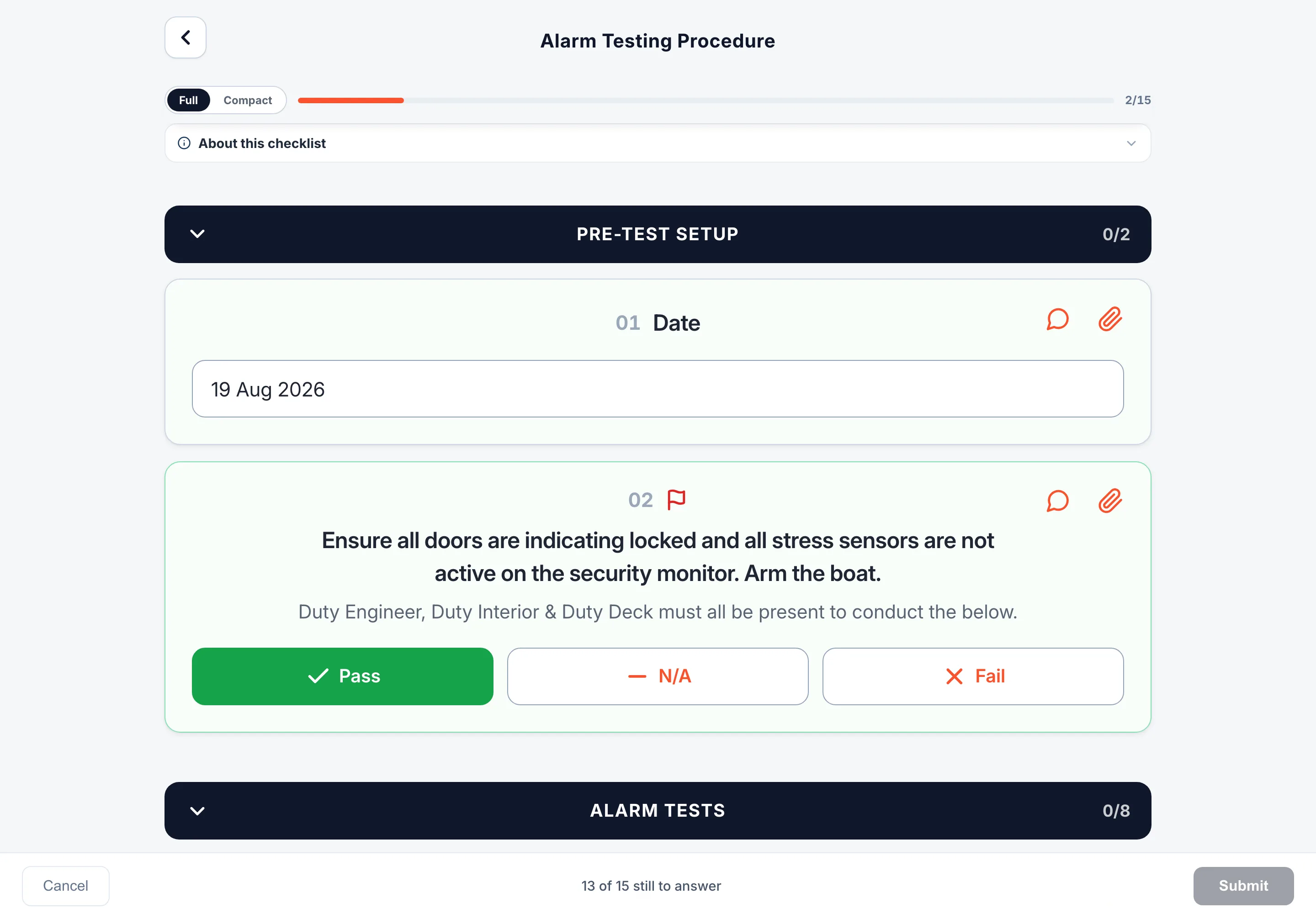
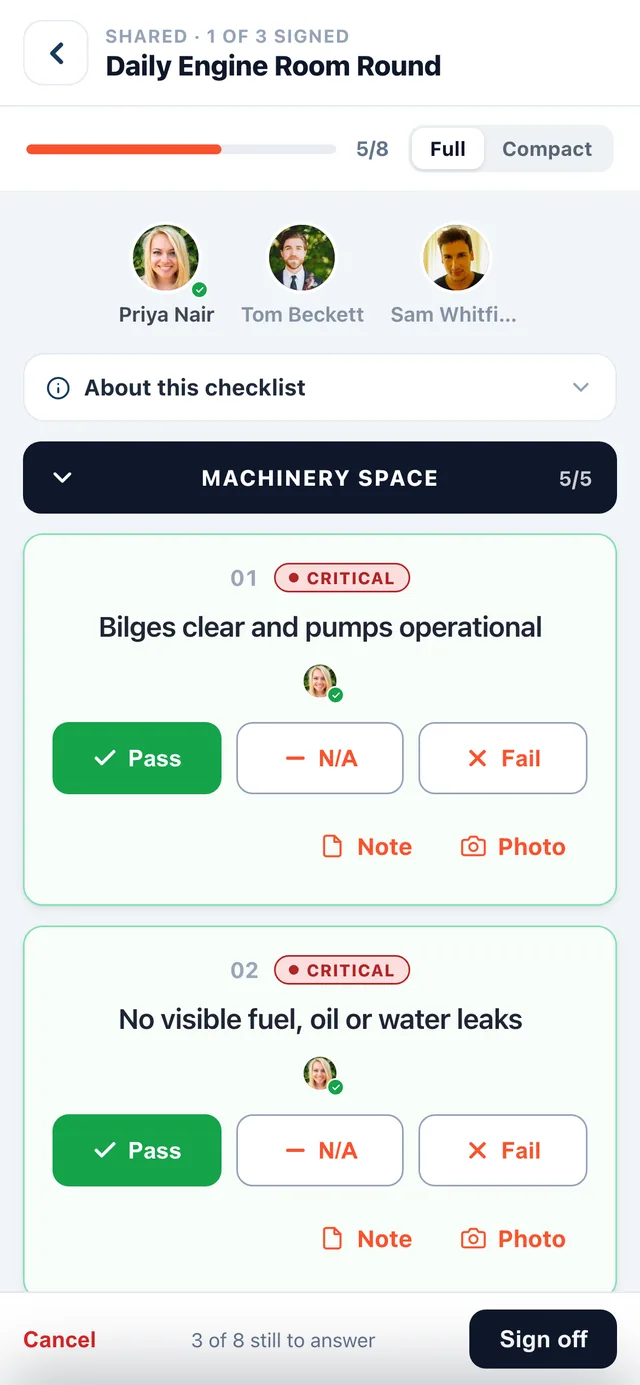
- Pass, N/A, fail, a note and a photo on every item. Grouped the way the round runs, with the critical items marked as critical.
- A reading against its range. A temperature outside the range it should be in fails the item on its own, rather than relying on someone noticing.
- A photo can be required. The check will not submit without it.
- Send it to a department, not a person. Whoever is on watch picks it up, they all work the same checklist, and the round never gets done twice.
Follow-up
A failed check becomes a job. With a name against it.
Failed and flagged items do not sit in a log waiting to be noticed. They land on the Worklist carrying the check they came from.
- A critical fail pushes the captain and the heads of department the moment it is submitted, naming the item.
- Assign an owner, set a due date, close it off. The follow-up is tracked rather than remembered.
- Decide who is told. The captain, the relevant heads of department, or nobody, by push or by email.
- The chain an ISM auditor asks for. The check, the fail, the job, the person, the date it was closed.
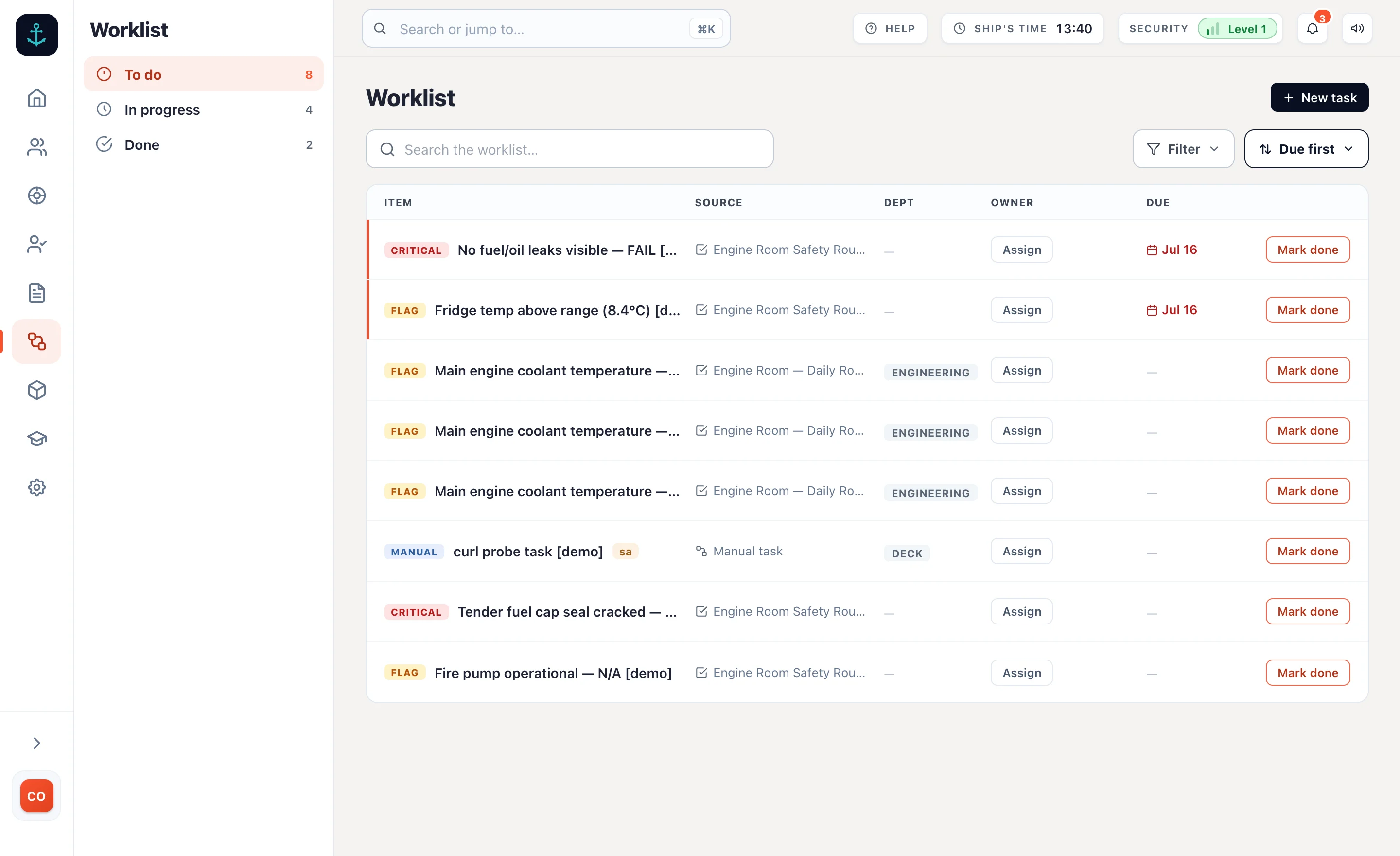 Follow-ups to do, and in progress
The record
Signed with a name, ready for the survey folder.
Every check submitted, newest first, with who completed it, when they started and finished, every answer as it was given, and the notes and photographs on each.
- Critical failures called out on the row. Whether a critical item failed on that round, without opening it.
- One PDF per check, or a whole date range. An archive foldered by year and month. From Muster Mate, a run of checks exports as a single PDF, one check per page.
- Priced for the boat, not the crew list. Office inspection apps charge per seat, and a yacht's crew list changes every season. Here it is unlimited crew and unlimited checklists at one price per vessel.
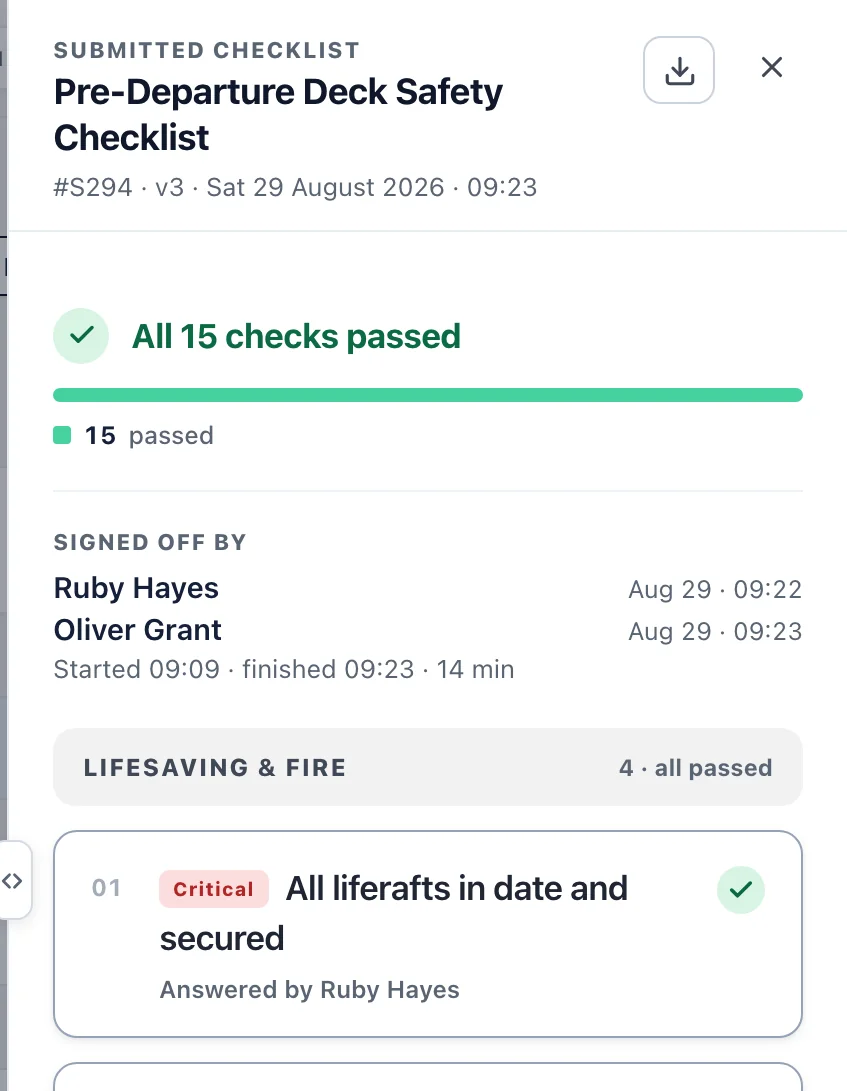 The record of one check: who signed it
The Muster App has become one of those tools we use without really thinking about it. It’s made everyday tasks easier and has also got the crew more engaged with safety and their responsibilities onboard.
Run tomorrow's round on it.
Photograph the card on the bulkhead tonight. The crew have it on their phones in the morning.
Part of Pro, £270 a month per vessel, unlimited crew. 14-day free trial. Refund policy